Nothing to install on the tablet
Your desktop serves the tablet page itself. Scan a QR code in any modern tablet browser and draw. No app store, no account on the tablet, no waiting for an update.
Mirrorpad turns the tablet you already own into a pressure-sensitive glass layer that floats over every app. Open a URL on the tablet and draw: there is nothing to install on it. iPad or Android, on macOS, Windows, or Linux. Over your own Wi-Fi, never through a server.
Free desktop app · 60-day tablet sharing trial · no card required
That is the whole setup. Pressure, tilt, layers and a full toolbar, drawing over any app on any of your screens.
Your desktop serves the tablet page itself. Scan a QR code in any modern tablet browser and draw. No app store, no account on the tablet, no waiting for an update.
A transparent layer above every window, not a canvas inside one app. Mark up a design, a document, a terminal, a build.
Strokes carry real pressure and tilt from Apple Pencil and from Android styluses like the S Pen. Every sample between frames is reconstructed, so fast diagonals stay curves instead of straight segments.
The stream runs between two devices you own, over your own Wi-Fi, with an optional connection password. There is no relay server in the path.
iPad or Android tablet, on macOS, Windows, or Linux. Linux is a first-class desktop here: same build, same features, same overlay.
Pen, pencil, ink pen, highlighter, stroke eraser, shapes, text, colours and layers in a draggable on-screen heads-up display.
Pressure and tilt shape each stroke in real time: light for a whisper-thin line, lean in for a bold one. It feels like real ink, not a mouse.
Works with Apple Pencil on iPad and with active styluses on Android, including the S Pen. Two things worth knowing before you buy: on Android, use Chrome or Samsung Internet, because Firefox reports a pen as a finger and drops pressure. And the USB-C Apple Pencil has no pressure sensor in the hardware at all, so no software can give it pressure.
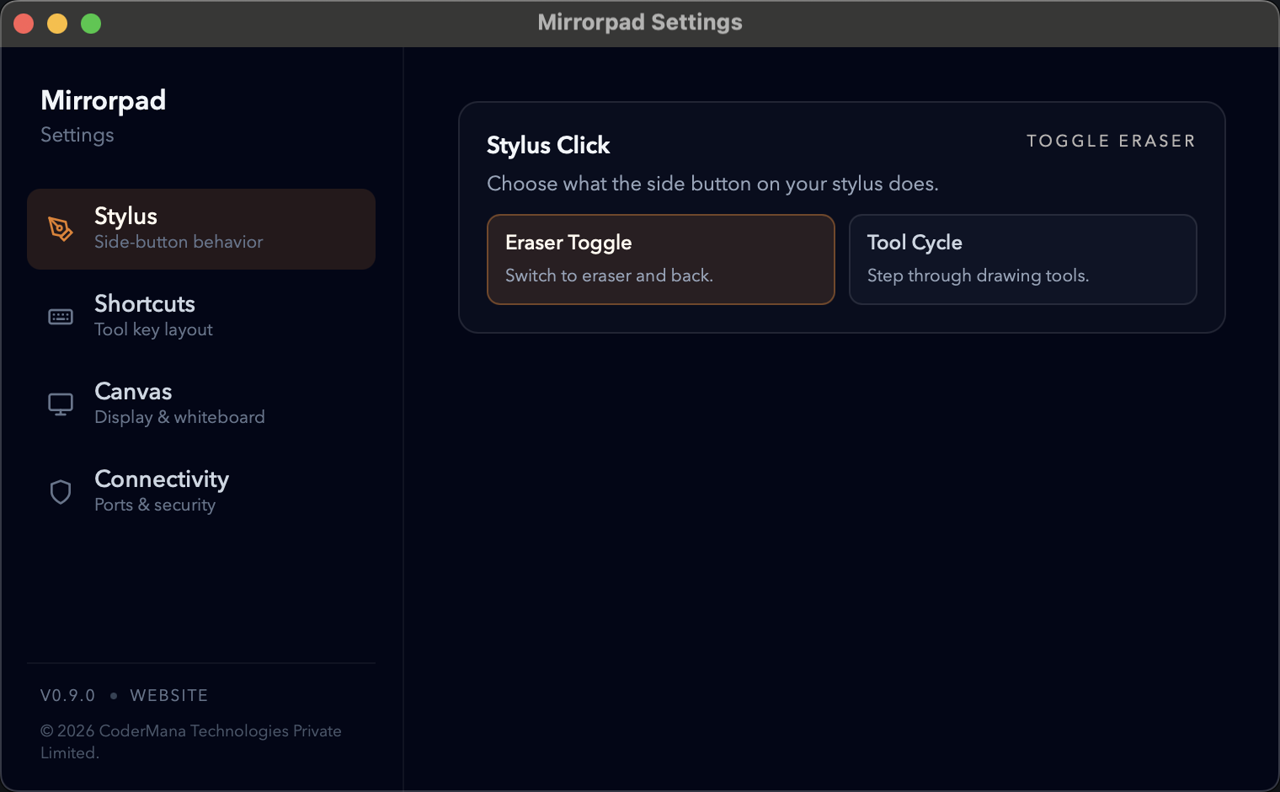
Configure network ports, a local connection password, and which display the canvas targets, all from the native desktop app, no browser tabs required.
Per-display targeting
Pick exactly which screen the overlay paints on.
Local password & ports
Lock tablet access down to devices you trust.
Stylus & shortcut tuning
Map side buttons and tool keys to your workflow.
Skip the setup ritual and get straight to the canvas.
Open Mirrorpad on your Mac, Windows, or Linux machine to spin up a transparent overlay across your displays.
Scan the secure QR code or open the local URL on your iPad or Android browser. There is nothing to install on the tablet.
Pick a tool, pick a colour, and draw straight onto your desktop.
The desktop app is free. Tablet sharing is free for 60 days with no card. After that, one payment of ₹2,499 plus 18% GST covers two tablets and does not expire. No renewal, and nothing stops working later.
Default
₹0
Permanent tablet sharing
₹2,499
one-time + 18% GST. Checkout total ₹2,949.
Download the desktop app and draw over anything on screen in minutes.